
Google Trends API Documentation | Google Trends API
API Base URL
https://google-trends21.p.rapidapi.comx-rapidapi-host: google-trends21.p.rapidapi.com
x-rapidapi-key: YOUR_API_KEY
Google Trends Documentation Overview
The Google Trends API from CognifyAPI provides programmatic access to trending topics, keyword interest over time, regional data, and keyword comparisons, mirroring features from the official Google Trends tool.
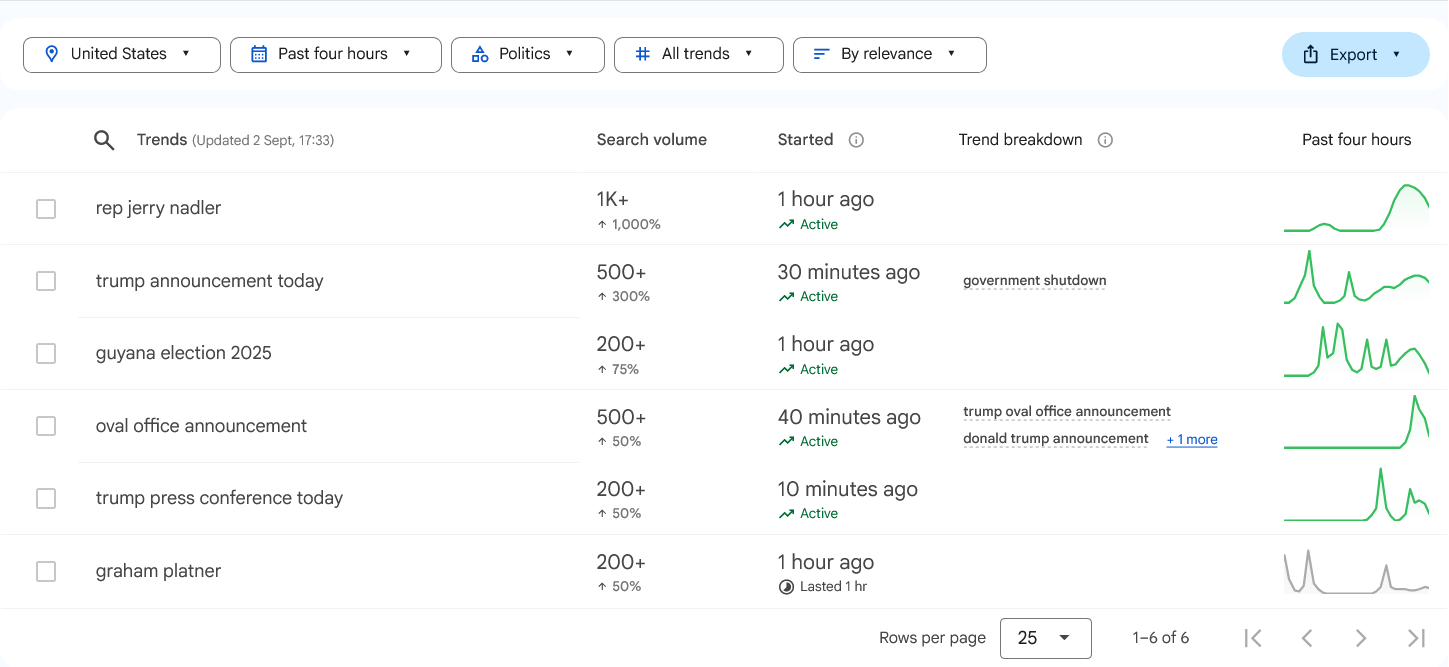
1. Get Trending Now
Retrieve currently trending search topics within a specified country and time period.
Parameters
| Parameter | Type | Required | Description |
|---|---|---|---|
country | string | Yes | Country Code (e.g., US) |
time | int | No | Hours (Default: 24) |
articleCount | int | No | Number of related news articles per trend., Default: `1` |
hl | string | No | Language (e.g., `en-US`, Default: `en-US`). |
tz | int | No | Timezone offset in minutes (e.g., `300` = UTC-5, Default:`300`) |
Request Example
curl --request GET \
--url 'https://google-trends21.p.rapidapi.com/getTrendingNow?country=US&time=24&articleCount=1&hl=en-US&tz=300' \
--header 'x-rapidapi-host: google-trends21.p.rapidapi.com' \
--header 'x-rapidapi-key: YOUR_API_KEY'
Response Example
{
  "trends": [
    {
      "query": "aubrey plaza husband",
      "articles": [
        [
          "Aubrey Plaza is ‘functioning,’ but it’s a ‘daily struggle’ after her husband’s death",
          "https://www.cnn.com/2025/08/19/entertainment/aubrey-plaza-husband-amy-poehler-podcast",
          "CNN",
          [
            1755612000
          ],
          "https://encrypted-tbn0.gstatic.com/images?q=tbn:ANd9GcQaJt1C8cClRJN48u6jNUF8TQvDfTYalp9W7-RMPvEe4JEP2QgmzUzQTta2QuI"
        ]
      ],
      "geo": "US",
      "tzTimestamp": "2025-08-19 15:40:00",
      "traffic": 100000,
      "breakout": 1000,
      "related": [
        "aubrey plaza husband",
        "jeff baena",
        "the gorge",
        "amy poehler",
        "parks and rec",
        "the gorge movie",
        "miles teller"
      ],
      "score": [
        4
      ],
      "timeseries": [
        [
          3622915512,
          "en",
          "US"
        ]
      ]
    }
  ]
}
2. Get Explore Top/Rising Searched Queries
Fetch top and rising queries related to a specific country, category, and time range.Explore Search Queries helps you discover the most popular and rising search queries related to a keyword. You can filter by country, time range, and category to analyze user interests, track emerging trends, and gain insights into what people are searching for online.
Parameters
| Parameter | Type | Required | Description |
|---|---|---|---|
country | string | Yes | Country Code (e.g., US) |
time | int | No | Hours (Default: 24) |
category | int | No | Category ID (Default 0 = all categories). |
hl | string | No | Language (e.g., `en-US`, Default: `en-US`). |
tz | int | No | Timezone offset in minutes (e.g., `300` = UTC-5, Default:`300`) |
Request Example
curl --request GET \
--url 'https://google-trends21.p.rapidapi.com/getExploreSearchQueries?country=US&time=today%2012-m&category=0&hl=en-US&tz=300' \
--header 'x-rapidapi-host: google-trends21.p.rapidapi.com' \
--header 'x-rapidapi-key: YOUR_API_KEY'
Response Example
{
  "searchQueries": {
    "default": {
      "top": [
        {
          "query": "weather",
          "value": 100,
          "formattedValue": "100",
          "hasData": true,
          "link": "/trends/explore?q=weather&date=today+12-m&geo=US"
        },
        {
          "query": "google",
          "value": 90,
          "formattedValue": "90",
          "hasData": true,
          "link": "/trends/explore?q=google&date=today+12-m&geo=US"
        }
      ],
      "rising": [
        {
          "query": "labubu",
          "value": 1700,
          "formattedValue": "+1,700%",
          "link": "/trends/explore?q=labubu&date=today+12-m&geo=US"
        },
        {
          "query": "tiempo de mañana",
          "value": 300,
          "formattedValue": "+300%",
          "link": "/trends/explore?q=tiempo+de+ma%C3%B1ana&date=today+12-m&geo=US"
        }
      ]
    }
  }
}
3. Get Explore Search Term
Explore Search Term lets you analyze the popularity of specific keywords across time, regions, and categories. By entering a search term, you can view interest trends, compare multiple queries, filter by country, category, or time range, and discover related topics and rising queries.
Parameters
| Parameter | Type | Required | Description |
|---|---|---|---|
keyword | string | Yes | The main search term you want to analyze (e.g., trump). |
country | string | No | Country Code (e.g., US) |
time | int | No | Hours (Default: 24) |
category | int | No | Category ID (Default 0 = all categories). |
hl | string | No | Language (e.g., `en-US`, Default: `en-US`). |
tz | int | No | Timezone offset in minutes (e.g., `300` = UTC-5, Default:`300`) |
Request Example
curl --request GET \
--url 'https://google-trends21.p.rapidapi.com/getExploreSearchTerm?keyword=trump&country=US&time=today%2012-m&category=0&hl=en-US&tz=300' \
--header 'x-rapidapi-host: google-trends21.p.rapidapi.com' \
--header 'x-rapidapi-key: YOUR_API_KEY'
Response Example
{
  "relatedQueries": {
    "default": {
      "top": [
        {
          "query": "donald trump",
          "value": 100,
          "formattedValue": "100",
          "hasData": true,
          "link": "/trends/explore?q=donald+trump&date=today+12-m&geo=US"
        }
      ],
      "rising": [
        {
          "query": "trump zelensky meeting",
          "value": 15350,
          "formattedValue": "Breakout",
          "link": "/trends/explore?q=trump+zelensky+meeting&date=today+12-m&geo=US"
        }
      ]
    }
  },
  "interestByRegion": {
    "default": {
      "geoMapData": [
        {
          "coordinates": {
            "lat": 38.9071923,
            "lng": -77.0368707
          },
          "geoName": "Washington",
          "value": [
            0
          ],
          "formattedValue": [
            ""
          ],
          "maxValueIndex": 0,
          "hasData": [
            false
          ]
        }
      ]
    }
  },
  "interestByOverTime": {
    "default": {
      "timelineData": [
        {
          "time": "1723939200",
          "formattedTime": "Aug 18 – 24, 2024",
          "formattedAxisTime": "Aug 18, 2024",
          "value": [
            18
          ],
          "hasData": [
            true
          ],
          "formattedValue": [
            "18"
          ]
        }
      ],
      "averages": []
    }
  }
}
Error Handling & Limits
The API uses standard HTTP status codes. Exceeding the allowed rate limit will result in a429 Too Many Requests response.
- 200Success
- 400Invalid Parameters
- 429Rate Limit Exceeded